ZAVORA CONNECT 1.0 · Request your license nowZAVORA CONNECTZAVORA CONNECT 1.0 · Request your license nowZAVORA CONNECTZAVORA CONNECT 1.0 · Request your license nowZAVORA CONNECTZAVORA CONNECT 1.0 · Request your license nowZAVORA CONNECTZAVORA CONNECT 1.0 · Request your license nowZAVORA CONNECTZAVORA CONNECT 1.0 · Request your license nowZAVORA CONNECT
Premium WordPress live chat

Your support. Your website. Your data.

The premium live chat for WordPress. Personal customer support, an elegant visitor widget and a powerful Control Center – right on your website. And tickets when you're not online.

Version 1.0 · Pricing on request
Real interface · Demo data
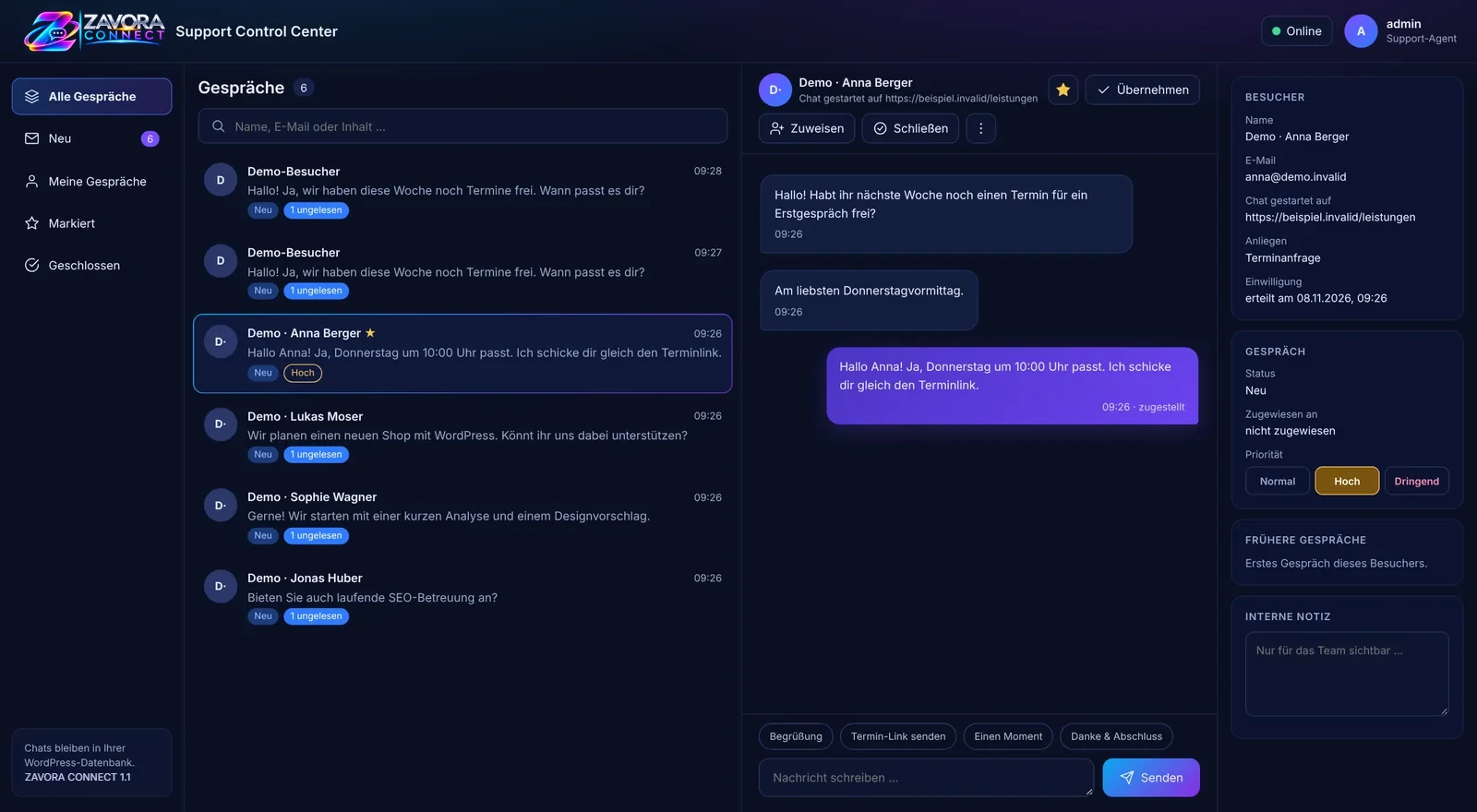
The ZAVORA CONNECT Support Control Center with conversation list, history and visitor information
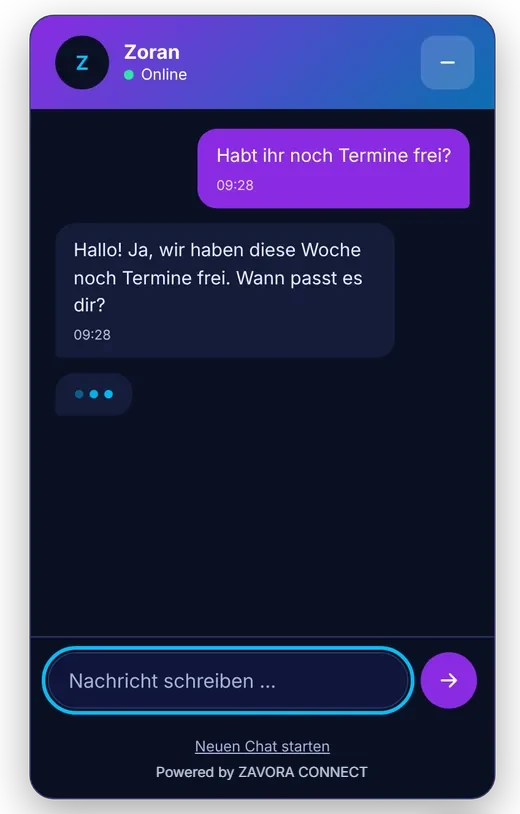
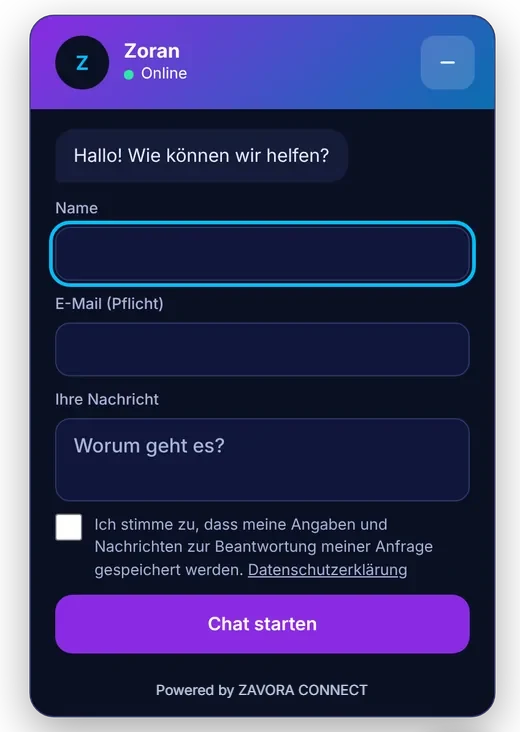
The visitor widget in dark theme with an ongoing chat
  • Self-hostedOn your WordPress installation
  • Your own databaseConversations stay with you
  • No external chat engineNo third party in the chat core
  • Control Center in the backendRight inside WordPress
Live experience

Experience ZAVORA CONNECT.

Try the widget yourself – in a safe demo. Ask a question and see how the chat feels.

  • Pure demo mode. Your input is not stored and does not reach any support team.
  • No real data. No real conversations or customer data are shown.
  • Clearly labelled. All replies are marked as automatic demo replies.
Interactive demo
ZAVORA Demo
Online · Demo
Hi! Great to have you here. This is a demo – ask me a question.
Demo mode · automatic replies · nothing is stored
Support Control Center

Your inbox. Right inside WordPress.

The real interface with demo data: every conversation in view, replies in seconds and all visitor info in one place.

Support Control Center: conversation list, message area, visitor information, quick replies and priority
123456
  1. 01Chats & ticketsOne inbox for both – with status filters and search by name, email or ticket number.
  2. 02Message areaHistory with delivery status and direct reply.
  3. 03Visitor informationName, email, page, topic and consent.
  4. 04Quick repliesRecurring answers in one click, fully configurable.
  5. 05Priority & starFlag what matters and rank it by urgency.
  6. 06Online statusOnline only when you're really active. Green dot: available. Gold dot: away or offline.
How a conversation works
  1. 1Visitor writesStart form with consent, then the chat runs in the widget.
  2. 2Conversation appearsNew and unread in your Control Center, right inside WordPress.
  3. 3You replyWith a direct or quick reply, with delivery status in the history.
  4. 4Everything stays with youHistory, priority, star and notes live in your database.
Living Glow

The ZAVORA A. Alive, never intrusive.

The launcher shows your status at a glance – with soft light instead of hectic blinking.

Online

Green status dot, a gentle 3.8-second pulse with an expanding ring of light.

Offline

Gold status dot, a static soft glow. One click opens the ticket form.

1

New message

Gold badge with a counter and a single pulse of light.

Only transform and opacity animations. With “reduce motion” a static glow remains, effects are toned down on smartphones, and nothing pulses while the chat is open.

Product showcase

One system. Every connection in view.

The visitor widget on your website and the Support Control Center in your backend work with the same conversations in your own database.
Support Control Center with conversation list, history and visitor information
Visitor widget with start form Visitor widget with an ongoing chat and typing indicator
WebsiteOn your websiteWidget with start form, chat, typing indicator and tickets with ticket numbers.
Control CenterIn your backendControl Center with conversation list, quick replies, priority and star.
DatabaseIn your databaseAll conversations stay on your WordPress installation.
Visitor widgeton your website
WordPress databaseyour installation, your data
Control Centerin your backend

Self-hosted and direct: visitors, database and inbox all belong to your website.

Try the live demo Request a licence
Product benefits

Built for websites that belong to themselves.

Self-hosted

Runs on your own WordPress installation, with no extra account at a chat provider.

Your own database

Conversations live in your website's database – not in someone else's chat cloud.

No external chat engine

The chat core runs inside the plugin itself. No external chat service required.

Control Center in the backend

Your team replies where it already works: in the WordPress backend.

Live chat & tickets

When nobody is around, visitors write a ticket and get their ticket number by email – optionally with a booking link.

Configurable branding

Colour, position, theme, greeting, agent name and avatar – all adjustable in the settings.

Privacy

Privacy-friendly by design.

ZAVORA CONNECT is built so that you stay in control. The data protection assessment of your website remains your responsibility.

  • Consent before the chat starts, with a link to your privacy policy.
  • Conversations in your own database, with an adjustable retention period.
  • Spam protection via honeypot and rate limit, without any external service.
  • The chat history is cached in the browser tab, not stored permanently on the device.

Note: This is not legal advice and no guarantee of any particular legal compliance. Review your privacy policy and how you use it on your website.

NEW · PREMIUM AI EXTENSION

Your support never sleeps.Neither does your AI.

ZAVORA CONNECT AI answers common customer questions automatically – even at night and on weekends. With your website’s knowledge, clear AI labelling and a seamless handover to your team.

Request ZAVORA AI

Available now as a premium extension for ZAVORA CONNECT. Pricing on request.
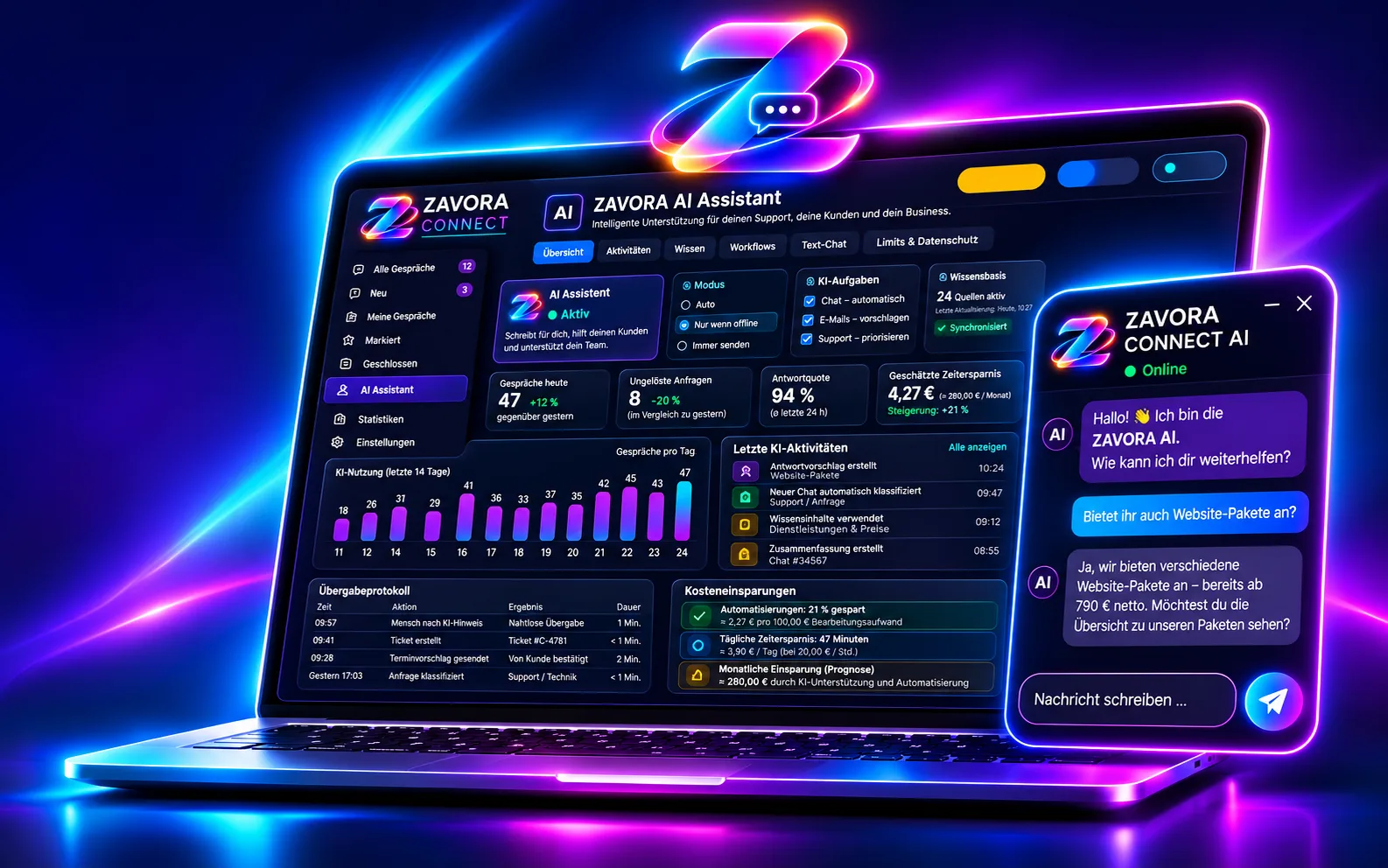
ZAVORA CONNECT AI: laptop showing the AI Control Center with the ZAVORA AI chat widget in front (product preview with demo data)

Product preview with demo data

  • Your knowledge. Your answers.

    The AI uses approved content from your website.

  • Available 24/7.

    Helpful answers – even when your team is offline.

  • People & AI as a team.

    Seamless handover with the complete conversation history.

  • Stay in control.

    AI labelling, cost limits and clear rules.

Version 1.0

Be there from the start.

ZAVORA CONNECT 1.0 is here. Tell us which website you'd like to use the chat on – you'll receive your licence and download personally from us.

Pricing on request. Your request is non-binding.

Request a licence

Just a few details. We'll get back to you personally, usually within 24 hours.

Mon–Fri, 8 am–6 pm (CET) · +43 678 1288861 · support@webcode.at

FAQ

Frequently asked questions

Where are conversations stored?

In the database of your own WordPress installation. No external chat engine is used.

When am I shown as online?

Only when a team member is set to “online” in the Control Center and actually active. If the tab is hidden, idle or the browser is closed, the status switches to away automatically. Opening hours are shown for information only.

Does it work with Elementor and caching?

The widget runs isolated in the Shadow DOM and always loads a fresh status. It works independently of your theme and page builder, including Elementor and caching plugins.

How much does ZAVORA CONNECT cost?

Pricing is available on request – just write to us using the form. After purchase, updates arrive automatically in your WordPress dashboard.

ZAVORA CONNECT

Connect. Support. Inspire.